
 admin
June 22, 2026
admin
June 22, 2026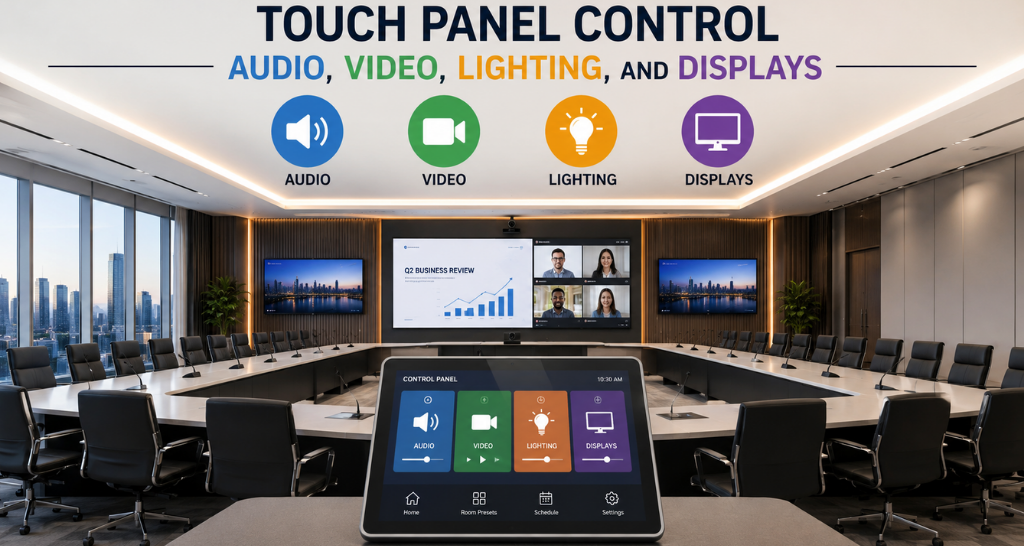
Control Audio, Video, Lighting, and Displays with a Single Touch Panel Control System
workplaces, conference rooms, smart homes, and commercial spaces are becoming more connected every day. Managing different technologies separately, such as audio systems, video displays, lighting, and room equipment, can create complexity and reduce efficiency. This is where a Touch Panel Control System becomes an essential solution.
A Touch Panel Control System allows users to operate multiple devices from a single interactive interface. Instead of using different remotes, switches, and controllers, users can manage presentations, speakers, displays, lights, and other connected devices through one centralized panel.
With the growth of smart offices and advanced automation, businesses are adopting integrated control solutions to improve user experience. Whether it is a corporate meeting room, classroom, auditorium, hotel, or entertainment space, a Touch Panel Control System provides a simple and organized way to control technology.
The main question many people ask is: Can one panel really control audio, video, lighting, and displays together? The answer is yes. With proper integration, a single interface can manage multiple systems efficiently.
What is a Touch Panel Control System?
A Touch Panel Control System is an interactive control solution that connects different electronic devices and allows users to operate them through a touch based interface. It works as a central command point where users can access various functions without manually controlling every device.
For example, in a conference room, a user can start a presentation, adjust speaker volume, switch display sources, control room lighting, and manage video conferencing equipment from the same screen.
A modern Touch Panel Control System combines hardware and software technologies to communicate with different devices. It can connect with displays, projectors, microphones, speakers, lighting systems, cameras, and automation equipment.
An Audio Video Control System works as an important part of this setup by allowing users to manage sound and visual equipment together. The integration helps create a smooth experience where all connected devices work as one complete solution.
A professional setup often includes an AV Control Panel that provides quick access to different functions. These panels are designed for easy operation and can be customized according to the requirements of a particular environment.
Why is a Touch Panel Control System Important?
Technology spaces are becoming more advanced, but managing multiple devices can become challenging. Without proper control, users may need different remotes, switches, and applications to operate various systems.
A Touch Panel Control System solves this problem by bringing all controls into one place. It reduces confusion and makes technology easier to use.
For businesses, this system improves meeting efficiency. Employees can quickly start presentations, adjust settings, and collaborate without wasting time searching for controls.
A Touch Screen Control System also improves accessibility because users can see all available options clearly on a visual interface. Unlike traditional buttons, touch displays provide information about device status, available sources, and current settings.
Another major advantage is automation. Users can create specific room settings based on activities. For example:
- Meeting mode can turn on displays, adjust lighting, and activate video conferencing.
- Presentation mode can prepare all required equipment instantly.
- Energy-saving mode can switch off unnecessary devices.
A Touch Panel Control System also helps maintain a professional environment. In hotels, boardrooms, and premium spaces, a clean digital interface creates a better user experience.
How Does a Touch Panel Control System Work?
A Touch Panel Control System works by connecting different devices through a control processor or automation platform. The touch panel acts as the user interface, while the control system communicates with connected equipment.
The working process includes several steps:
1. User Input
The process starts when a user touches an option on the panel. For example, selecting “Presentation Mode” sends a command to the control system.
2. Signal Processing
The control processor receives the command and understands which devices need to respond.
3. Device Communication
The system communicates with connected devices using different technologies such as:
- IP networks
- HDMI control
- RS-232 communication
- Infrared signals
- Relay controls
- Wireless protocols
4. Action Execution
The connected devices perform the required action. The display turns on, speakers adjust volume, lights change brightness, and other equipment responds automatically.
This complete process happens within seconds, creating a smooth user experience and Audio visual integration connects audio, video, and control systems into one platform, creating a seamless, smart, and efficient user experience.
A One Touch Control System simplifies this entire workflow by allowing users to complete multiple actions through a single command instead of operating each device individually.
Touch Panel Control System: Working vs Not Working
| Feature | Without Control System | With Touch Panel Control System |
|---|---|---|
| Device Management | Multiple remotes required | Single interface control |
| User Experience | Complex operation | Simple touch operation |
| Meeting Setup | Takes more time | Quick automated setup |
| Device Integration | Separate systems | Connected ecosystem |
| Training Requirement | More learning needed | Easy for users |
| Efficiency | Lower productivity | Improved workflow |
| Energy Management | Manual switching | Automated control |
Key Components and Technologies
A complete Touch Panel Control System includes multiple components working together to deliver reliable performance.
1. Touch Interface
The touch display is the main operating point. It provides buttons, menus, and controls that allow users to manage connected devices.
Modern touch interfaces offer:
- High-resolution displays
- Custom layouts
- User-friendly navigation
- Multiple control options
2. Control Processor
The processor acts as the brain of the system. It receives commands from the panel and sends instructions to connected equipment.
It manages communication between different technologies and ensures smooth operation and LED video wall is a high-impact display solution that uses multiple LED panels to create large, bright, and seamless visuals for communication and immersive experiences.
3. Audio and Video Integration
Audio and video devices are connected through the control platform. This allows users to manage microphones, speakers, displays, cameras, and presentation systems.
An Audio Video Control System ensures that sound and visual equipment work together properly for meetings, events, and presentations.
4. Lighting Control
Lighting integration allows users to adjust brightness, switch lights on/off, and create different room environments.
For example, a conference room can automatically dim lights when a presentation starts.
5. Network Connectivity
Modern systems use network connections to communicate with devices. This enables remote monitoring, updates, and centralized management.
Benefits of a Touch Panel Control System
A Touch Panel Control System provides several benefits for organizations that use advanced technology solutions. It improves convenience, productivity, and overall system management.
1. Easy Operation
One of the biggest advantages of a Touch Panel Control System is simplicity. Users do not need technical knowledge to operate different devices. A clear touch interface allows anyone to control the room setup easily.
Instead of learning multiple remotes or software applications, users can access all functions from one screen.
2. Improved Meeting Efficiency
In corporate environments, time is extremely valuable. A properly integrated system reduces the time required to prepare meeting rooms.
Employees can start presentations, connect devices, control displays, and adjust audio settings quickly. This creates smoother meetings and improves collaboration.
An AV Control Panel provides a structured interface where users can manage all connected AV equipment without confusion.
3. Better User Experience
A Touch Screen Control System offers a visual and interactive way to control technology. Users can see available options and select required functions instantly.
This creates a premium experience in:
- Conference rooms
- Training rooms
- Hotels
- Auditoriums
- Smart classrooms
- Entertainment spaces
4. Energy Saving
A Touch Panel Control System can support energy management by automatically controlling devices.
For example:
- Turning off unused displays
- Adjusting lighting levels
- Reducing unnecessary power consumption
- Scheduling equipment operation
This helps organizations reduce operational costs.
5. Centralized Management
Large facilities often have multiple rooms and devices. A centralized system allows administrators to monitor and manage equipment from one location.
This makes maintenance easier and helps identify problems quickly.
6. Custom Automation
A major benefit of a One Touch Control System is automation. Users can create customized scenes according to their requirements.
Examples:
Presentation Mode
- Display turns on
- Lights adjust
- Audio activates
Video Conference Mode
- Camera starts
- Microphone activates
- Screen switches to meeting platform
End Meeting Mode
- Devices shut down
- Lights return to normal
Facts and Figures :
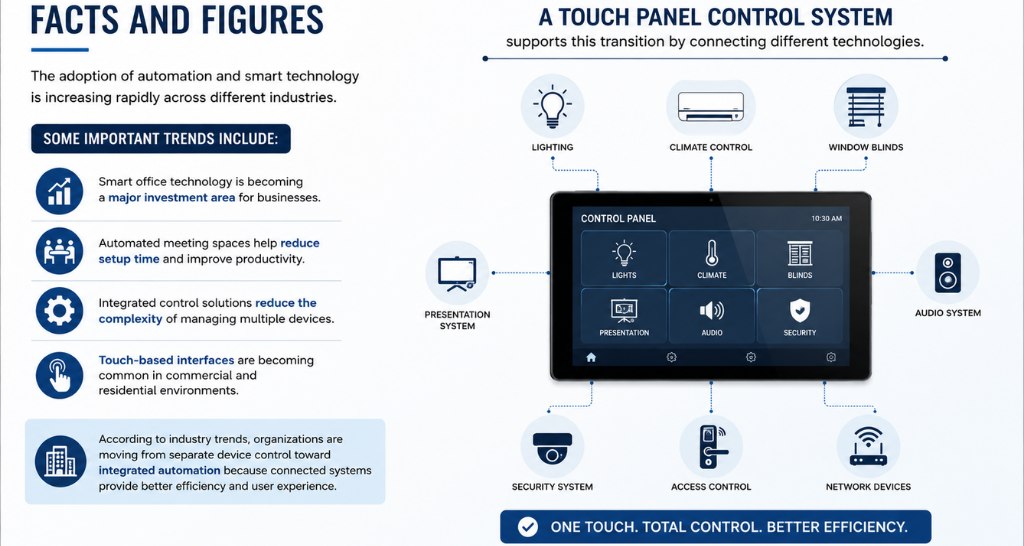
The adoption of automation and smart technology is increasing rapidly across different industries.
Some important trends include:
- Smart office technology is becoming a major investment area for businesses.
- Automated meeting spaces help reduce setup time and improve productivity.
- Integrated control solutions reduce the complexity of managing multiple devices.
- Touch-based interfaces are becoming common in commercial and residential environments.
According to industry trends, organizations are moving from separate device control toward integrated automation because connected systems provide better efficiency and user experience.
A Touch Panel Control System supports this transition by connecting different technologies into one simple platform.
How Vallect Helps?
Vallect helps businesses create smart and efficient technology environments by providing advanced AV integration and automation solutions. With a Touch Panel Control System, Vallect connects audio, video, lighting, and display solutions into one easy-to-use interface. This makes meeting rooms, conference spaces, and commercial areas simpler to operate, improves productivity, and delivers a smooth user experience.