
 admin
March 10, 2026
admin
March 10, 2026
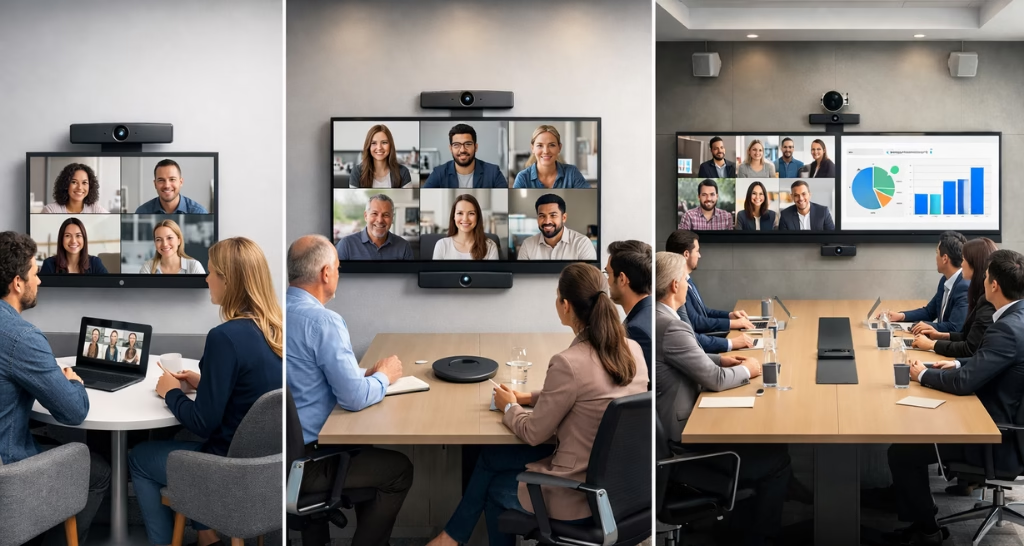
Smart video Conferencing Setup by Room Size
Modern organizations rely heavily on video communication to connect teams, partners, and clients across different locations. A smart meeting room video conferencing setup plays a crucial role in enabling seamless collaboration in hybrid work environments. However, designing an effective conferencing system is not only about installing a camera and a screen. The setup must be designed according to the meeting space, seating capacity, and the collaboration needs of the organization. Different room sizes require different types of cameras, microphones, and conferencing technologies to ensure that every participant can see and hear clearly.
When businesses implement proper AV integration for video conferencing, they create meeting environments that improve communication efficiency and productivity. From small huddle rooms to large boardrooms, each meeting space requires a carefully planned configuration of video conferencing technology to deliver high quality video and audio experiences.
Why Consultants Must Consider Space Based AV Design?
For AV consultants and technology planners, designing a smart meeting room video conferencing setup requires careful attention to room size, seating arrangement, and collaboration needs. Every meeting space has different acoustic, visual, and technical requirements, and ignoring these factors can result in poor audio capture, limited camera coverage, and ineffective communication during meetings.
By analyzing seating capacity and room layout, consultants can select the right cameras, microphones, and conferencing technologies that ensure every participant is clearly visible and audible. This approach not only improves meeting productivity but also helps organizations invest in scalable and future-ready AV solutions that support modern hybrid work environments.
Importance of Meeting Room Size in Video Conferencing Setup
Meeting room size directly affects how audio and video equipment should be installed. The number of participants sitting in a room determines the type of camera lens, microphone coverage, and display size required for effective communication. In a well-designed system, every participant should be visible on camera and every voice should be captured clearly. Poorly designed systems often lead to issues such as voices not being heard, participants appearing too small on screen, or cameras failing to capture the entire room. Businesses that implement smart meeting room video conferencing setups based on seating capacity can ensure smooth communication with remote participants while maintaining professional meeting standards.
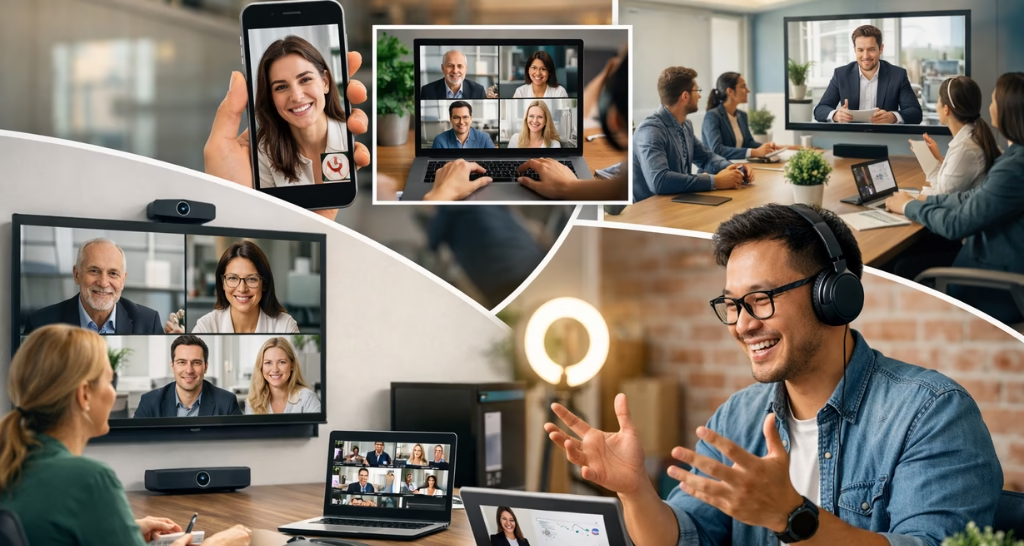
Small Meeting Rooms (2- 4 People)
Small meeting rooms are usually designed for quick discussions, client calls, or one-on-one collaboration. These rooms require compact conferencing systems that are easy to operate and require minimal equipment. A single camera and microphone system is usually sufficient for these spaces because participants sit close to each other around a small table. Modern conferencing bars combine multiple devices into a single unit, simplifying installation and usage. These solutions provide high-quality audio and video while reducing the need for multiple hardware components.
Technologies Commonly Used in Small Meeting Rooms
- Wide-angle video conferencing cameras
- All-in-one video conferencing bars
- Built-in microphone arrays
- Noise suppression technology
- Echo cancellation systems
- Wireless screen sharing systems
- Cloud conferencing platforms such as Zoom or Microsoft Teams
These compact systems allow employees to start meetings quickly and collaborate efficiently without complicated technical setups.
Huddle Rooms (4-6 People)
Huddle rooms are collaborative spaces where small teams meet for brainstorming sessions, project discussions, or quick remote meetings. These rooms require slightly more advanced systems compared to small meeting rooms because the seating area is larger and participants may sit at different angles around the table. A smart meeting huddle room setup usually includes an intelligent camera that can automatically frame participants and adjust the viewing angle based on movement in the room. These cameras help ensure that remote participants always have a clear view of the people speaking.
Audio coverage is also important in huddle rooms because participants may sit further away from the microphone. Beamforming microphones are commonly used to capture voices clearly from multiple directions while filtering background noise.Audio coverage is also important in huddle rooms because participants may sit further away from the microphone. Beamforming microphones are commonly used to capture voices clearly from multiple directions while filtering background noise.
Technologies Commonly Used in Huddle Rooms :
- AI-powered auto-framing cameras
- Beamforming microphone arrays
- Wireless content sharing devices
- Touch panel meeting controllers
- Touch panel meeting controllers
- Integrated conferencing software platforms
- Smart meeting automation systems
These technologies create an efficient collaboration space where teams can communicate quickly with remote colleagues.
Medium Conference Rooms (6-12 People)
Medium-sized conference rooms require more advanced audio-visual integration to ensure clear communication across the entire seating area. In these rooms, participants may sit further away from the camera and microphones, which means the system must be capable of capturing voices and video from different positions within the room.
PTZ (Pan-Tilt-Zoom) cameras are commonly used in these environments. These cameras can rotate horizontally and vertically while zooming in on speakers, allowing remote participants to clearly see whoever is speaking during the meeting. Some PTZ cameras also include automatic speaker tracking technology, which automatically focuses on the active speaker.
For audio coverage, multiple microphones are typically installed around the conference table or mounted on the ceiling. Digital signal processors are used to manage audio signals and remove echo or background noise.
Technologies Used in Medium Conference Rooms
- PTZ video conferencing cameras
- Speaker tracking technology
- Table microphones or ceiling microphones
- Digital Signal Processors (DSP)
- Dual display systems for content and participants
- Network optimization for stable video communication
These solutions ensure that all participants in the room can interact naturally with remote attendees.
Large Boardrooms (12-20+ People)
Large corporate boardrooms require a professional Conference Board Room AV video conferencing system capable of supporting many participants simultaneously. These rooms typically include multiple cameras positioned around the room to capture different angles. Camera switching systems automatically display the person speaking, creating a more engaging experience for remote participants.
Audio systems in boardrooms are also more complex. Multiple microphones are installed across the table or ceiling to capture voices evenly across the entire room. Advanced audio processing systems ensure balanced sound levels and remove echo or unwanted noise.Large displays or projection systems are usually installed in Conference Board Room AV environments so that all participants can clearly see presentations and remote attendees. Some organizations also integrate video wall displays for enhanced visualization during presentations and data analysis.
Technologies Used in Large Boardrooms
- Multiple PTZ cameras with automated switching
- Ceiling beamforming microphone systems
- Advanced audio processors and mixers
- Large interactive displays or projection systems
- Video wall integration for presentations
- Centralized AV control systems
These technologies create an immersive conferencing environment suitable for executive meetings and high-level discussions.
Training Rooms and Large Collaboration Spaces
Training rooms and large collaboration areas require scalable video conferencing systems that can support presentations, webinars, and corporate training sessions. These rooms often accommodate a larger audience, which means the system must be capable of delivering clear audio and video across the entire space.
Multiple cameras are often installed in training rooms so presenters can be captured clearly while also showing audience interaction. Wireless microphones allow presenters to move freely while speaking, making presentations more engaging. Large projection screens or video walls are used to display presentations and remote participants simultaneously.
Technologies Used in Training Rooms :
- Multi-camera conferencing systems
- Presenter tracking cameras
- Wireless lapel or handheld microphones
- Large projection displays or LED screens
- Digital whiteboards and collaboration tools
- Integrated AV automation systems
These setups allow organizations to conduct large meetings, webinars, and training sessions effectively.
Core Technologies Behind Smart Meeting Room Video Conferencing
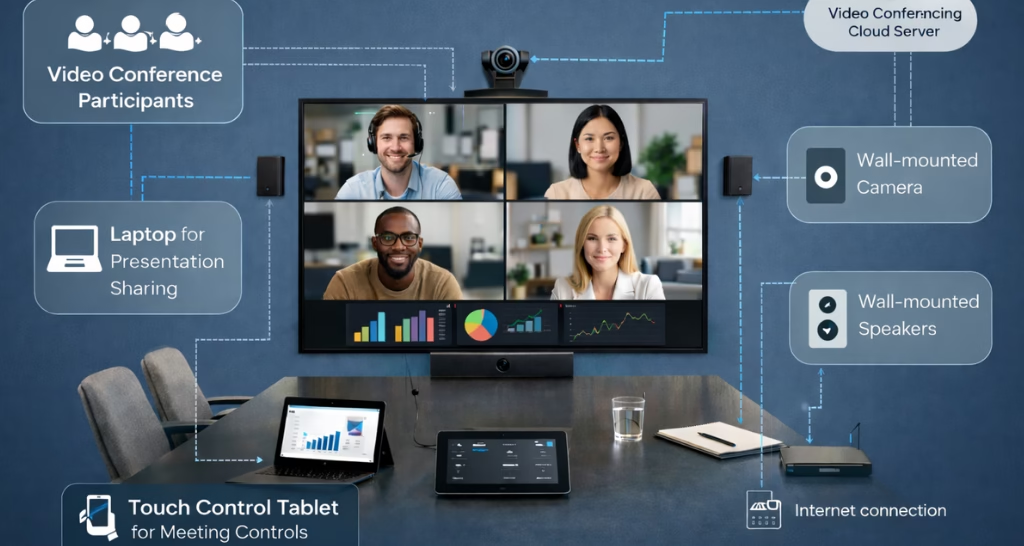
Modern conferencing environments rely on several advanced technologies that ensure smooth communication and collaboration between remote and in-room participants.
Key Video Conferencing Technologies :
- Video conferencing cameras with AI auto-framing
- Audio codecs for clear voice transmission
- Video codecs for efficient video compression
- Communication protocols such as SIP and WebRTC
- Enterprise network infrastructure with QoS optimization
- Professional conferencing hardware devices
- Cloud conferencing platforms for remote collaboration
These technologies work together to deliver a seamless Video Conferencing System experience in modern workplaces.
Benefits of Designing Video Conferencing Setup Based on Space
Designing a smart meeting room video conferencing setup according to seating capacity and room layout offers several advantages for businesses. First, it ensures that all participants are clearly visible and audible during meetings. Second, it improves collaboration between remote and in-room participants by creating a balanced communication environment. Third, it enhances professionalism during client presentations and executive meetings. Finally, a properly designed AV system allows organizations to scale their conferencing infrastructure as communication needs grow.
Companies that implement professional AV integration strategies can create meeting environments that support hybrid work models and improve organizational productivity.
Upgrade Your Meeting Rooms with Smart AV Integration
If your conference rooms still struggle with poor audio, unclear video, or complicated meeting setups, it may be time to upgrade your collaboration technology. A professionally designed smart meeting room video conferencing setup can transform the way your teams communicate, making meetings more productive, engaging, and seamless for both in-room and remote participants.
At Vallect, we help businesses design and implement advanced AV integration for video conferencing based on your meeting space, seating layout, and collaboration requirements. From huddle rooms to large boardrooms, our experts deliver customized solutions that include intelligent cameras, advanced microphone systems, cloud conferencing platforms, and enterprise-grade AV infrastructure.
Whether you are planning a new conference room, upgrading your boardroom technology, or building a modern hybrid workplace, our team ensures reliable and future-ready conferencing environments for your organization.
Ready to Transform Your Meeting Rooms?
Get expert consultation for your video conferencing setup today: https://vallect.com/
✔ Custom AV system design
✔ Smart meeting room technology integration
✔ Professional installation and support
✔ Scalable solutions for businesses of all sizes
Contact our AV specialists today to build smarter collaboration spaces for your organization : Contact Us Now