
 admin
October 27, 2026
admin
October 27, 2026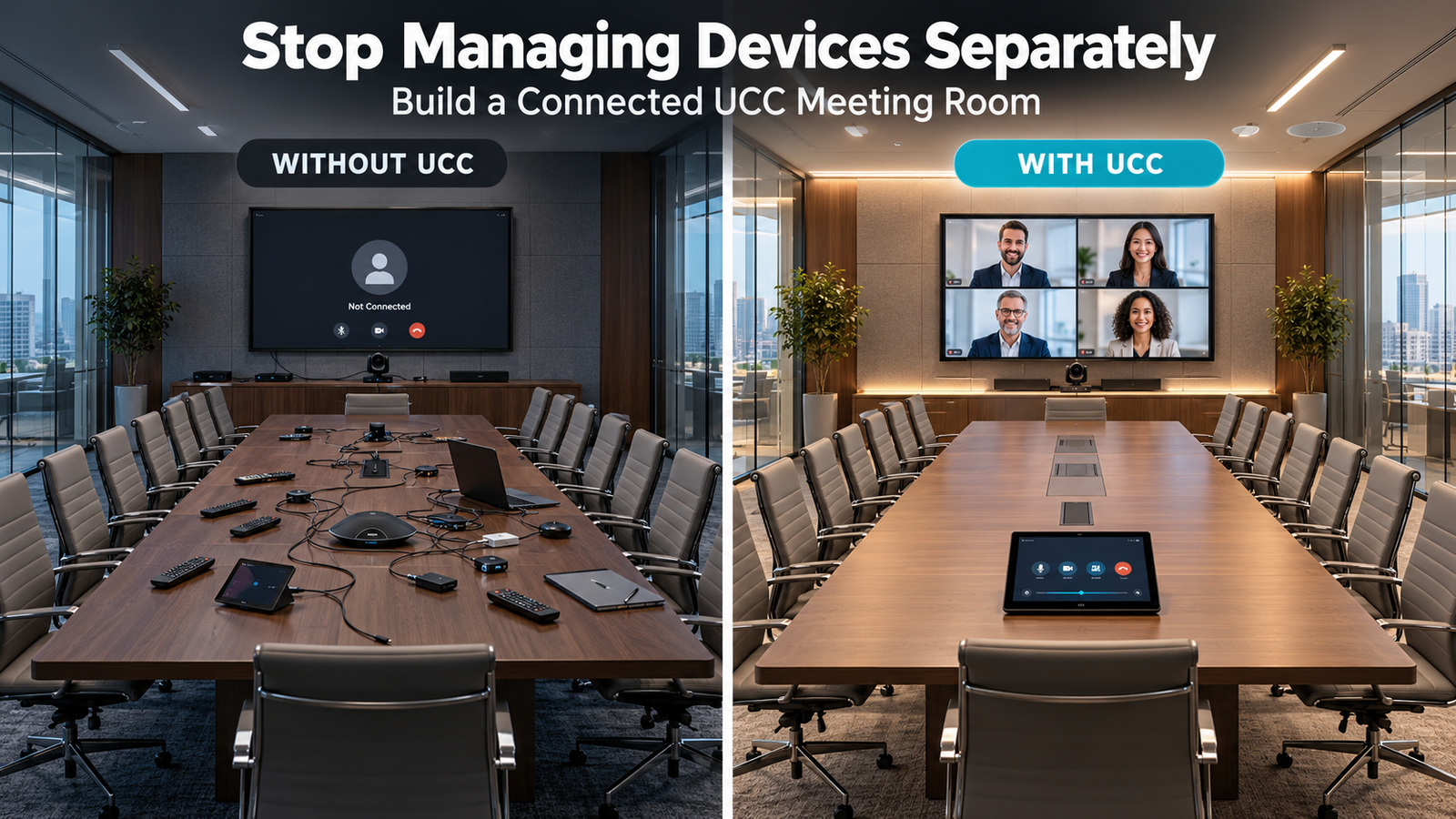
Stop Managing Devices Separately: Build a Connected UCC Meeting Room
Business meetings increasingly involve in-room employees, remote teams, video conferencing platforms and digital presentations. However, when displays, cameras, microphones and conferencing systems operate separately, employees often spend valuable time connecting devices, adjusting settings and resolving technical issues.
A Unified Communication and Collaboration (UCC) meeting room brings compatible communication and AV technologies together to simplify meetings and support seamless collaboration. Instead of managing multiple disconnected devices, businesses can create a coordinated environment for video conferencing, content sharing and team discussions.
When Meeting Room Devices Are Not Integrated?
Managing meeting room equipment separately can create operational challenges that affect employees, IT teams and business productivity.
- Delayed meetings: Employees spend time connecting laptops, selecting display inputs and configuring audio devices before discussions begin.
- Disconnected communication tools: Different devices and conferencing platforms may not work together smoothly without proper integration.
- Repeated IT support requests: Staff may need technical assistance for routine connectivity, microphone or camera issues.
- Inconsistent meeting experiences: Incorrect audio settings, camera positioning or display configurations can interrupt discussions.
- Underutilized technology: Businesses may invest in advanced AV equipment without using its full capabilities because the systems are difficult to operate together.
An integrated UCC meeting room addresses these challenges by coordinating compatible devices and creating a simpler meeting experience.
Features of a Connected UCC Meeting Room :
UCC solutions combine communication tools, AV equipment and control systems to support different meeting requirements.
| Feature | Function |
|---|---|
| Centralized AV control | Enables users to operate compatible displays, cameras and audio equipment through a common interface. |
| Integrated video conferencing | Supports compatible platforms such as Microsoft Teams and Zoom for virtual meetings. |
| Professional audio systems | Combines microphones, speakers and audio processing for clear communication. |
| Intelligent camera systems | Supports PTZ controls, camera presets and compatible auto-framing features. |
| Wireless content sharing | Allows users to present documents, slides and other content through supported sharing solutions. |
| Network and device connectivity | Connects compatible AV and communication equipment through appropriately designed infrastructure. |
| System programming and testing | Configures device interactions and verifies functionality before the room is handed over. |
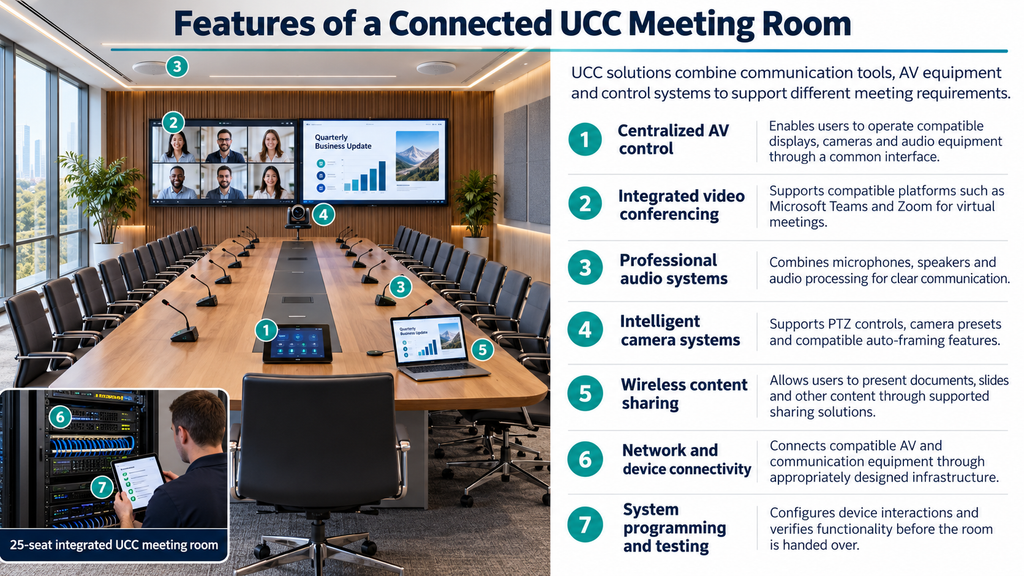
The final configuration depends on room size, platform requirements, network infrastructure and equipment compatibility.
Benefits of Using UCC in Meeting Rooms :
- Simplified meeting management: Employees can operate connected devices through coordinated controls rather than managing each component independently.
- Faster meeting start-up: Configured room settings and automated control sequences can reduce repetitive setup steps and help meetings begin on time.
- Better hybrid collaboration: Integrated cameras, microphones, speakers and conferencing platforms help connect in-room and remote participants.
- Improved employee productivity: Teams can spend less time troubleshooting devices and more time discussing projects, reviewing presentations and making decisions.
- Reduced routine IT dependency: Standardized room configurations and intuitive controls can reduce avoidable support requests related to everyday meeting operations.
- Consistent meeting experiences: Businesses can establish similar operating procedures across multiple meeting rooms, making it easier for employees to use different spaces.
How UCC Meeting Rooms Deliver ROI for Businesses?
UCC meeting rooms help businesses improve returns by reducing meeting delays, supporting remote collaboration, and lowering travel costs.
Integrated audio, video, and screen sharing help teams communicate clearly and make decisions faster in UCC meeting room.
Actual ROI depends on room usage, employee adoption, measurable savings, and total installation, licensing, maintenance, and training costs.
- Save time: Reduce meeting delays with easy joining and screen sharing.
- Cut travel costs: Connect teams and clients remotely.
- Improve collaboration: Clear audio and video help everyone participate.
- Reduce IT workload: Simple, consistent controls can reduce support requests.
- Speed up decisions: Review information together and resolve questions faster.
Explore : Wireless presentation for meeting rooms | Audio Visual Integration | AV Maintenance & support | Meeting Room AV Solutions | LED Display
Build a Connected Meeting Room with Vallect
Managing every device separately should not be the default for a business that depends on frequent meetings and hybrid collaboration. Vallect provides AV integration services covering system planning, equipment connectivity, installation, programming, testing and commissioning.
Depending on project requirements, a UCC meeting room can incorporate centralized AV controls, professional audio, conferencing cameras, displays and compatible collaboration platforms. whether you are upgrading an existing boardroom or designing a new corporate meeting space, Vallect can help plan an integrated solution around your operational requirements in UCC meeting room.
Ready to simplify your meeting room operations?
- Website: https://vallect.com/
- Email: info@vallect.com
- Call: +91 73034 35333